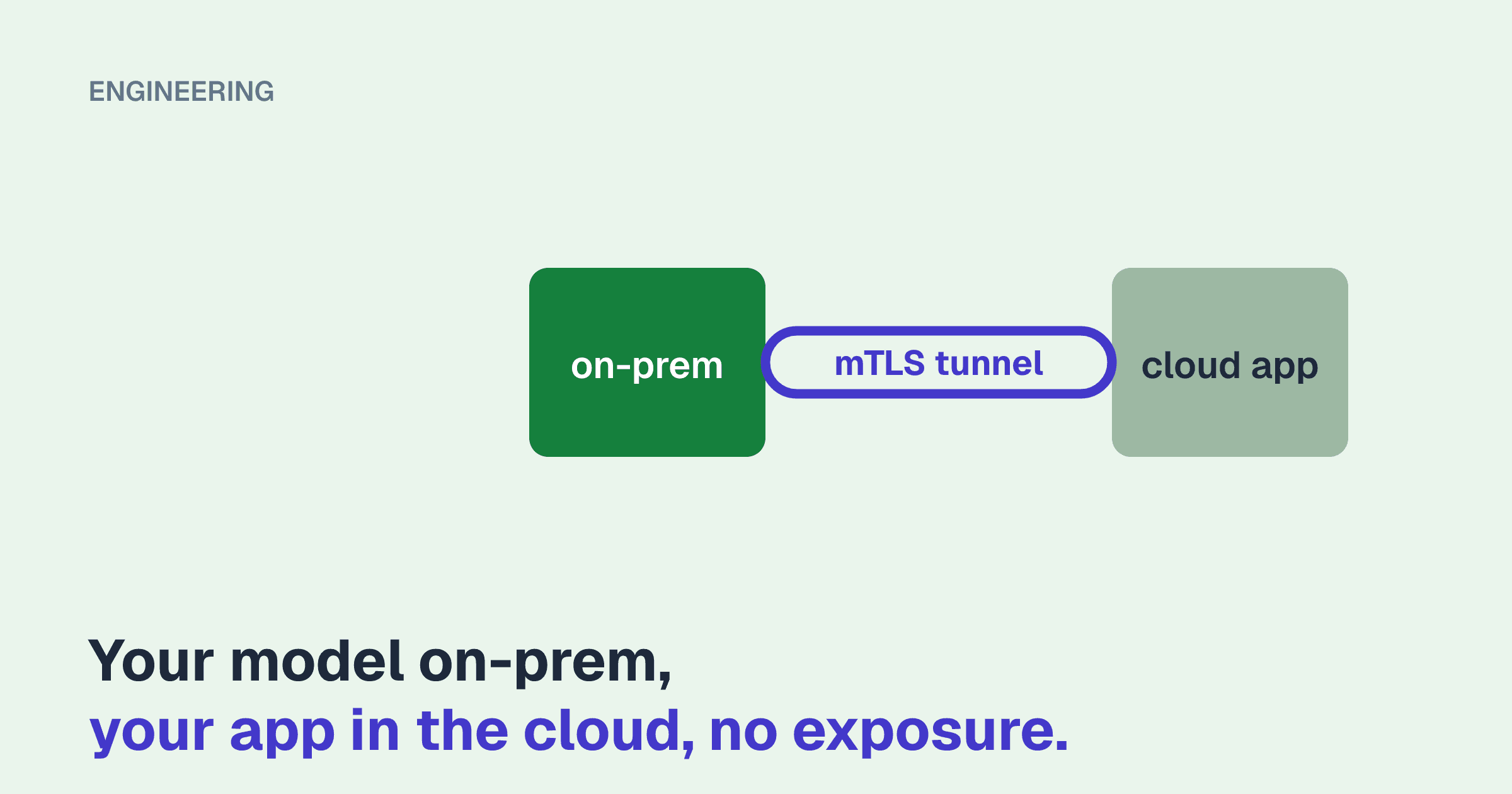
The model runs on hardware you own, because the data is sensitive or the token bill was too high. The application that calls it runs on a cloud platform, because that is where web applications live. Now the two have to talk, and the first idea most teams have is the wrong one: forward a port on the office firewall to the GPU server.
The short answer to "how do I securely connect my on-prem LLM to my web app" is this:
- Open no inbound ports. The GPU host initiates an outbound connection to a tunnel or relay, and requests travel back over it.
- Never expose the inference server directly. Bind it to localhost and put a gateway in front of it that handles authentication, rate limits, and logging.
- Authenticate twice. Once at the network layer (who may connect at all) and once at the application layer (which caller is this, and what may it do).
- Scope the path to one service. The cloud application should be able to reach one port on one host, not your network.
The rest of this article covers why, the realistic options, and a configuration you can adapt.
Why port forwarding is the wrong starting point
Inference servers are built for throughput, not for hostile networks. Taking vLLM as the example, because it is the engine we deploy most often:
- The
--api-keyflag is a single shared secret. There are no per-client keys, no scopes, no rate limits, and rotating it means restarting the server. - According to vLLM's own security documentation, the key protects the OpenAI-compatible routes under
/v1and a small number of other prefixes. Other endpoints on the same port are served without authentication. The documentation's advice is to restrict network access rather than rely on the key. - There is no TLS by default, no request-size policy, and no audit trail beyond process logs.
None of that is a criticism. It is a statement of what the software is for. Ollama and llama-server are in the same position. An inference server belongs on a loopback interface or a private network segment with something sturdier in front.
A forwarded port also gets found. Internet-wide scanners index open ports continuously, and unauthenticated inference endpoints are a known target because GPU time is worth stealing.
What you are protecting
It helps to be explicit about the threats, because different options address different ones.
| Threat | What addresses it |
|---|---|
| Strangers discovering and using the endpoint | No inbound ports, network-layer authentication |
| A leaked application credential | Short-lived or rotatable per-client keys, mTLS, rate limits |
| A compromised cloud application reaching the rest of your network | Tunnel scoped to one host and port, host firewall, network segmentation |
| Prompts and outputs read in transit | TLS end to end, and knowing where TLS terminates |
| Runaway cost or denial of service from a bug or an attacker | Rate limits, concurrency caps, max_tokens ceilings at the gateway |
| No record of who asked what | Gateway access logs with a caller identity on every request |
The options
Option 1: Outbound reverse tunnel (Cloudflare Tunnel and similar)
A small daemon on the GPU host, or a machine next to it, makes an outbound connection to the provider's edge. The provider gives you a public hostname. Requests to that hostname are carried back down the established connection. Your firewall needs no inbound rule at all.
# /etc/cloudflared/config.yml
tunnel: 6f1c2d3e-0000-0000-0000-000000000000
credentials-file: /etc/cloudflared/6f1c2d3e.json

ingress:
  - hostname: llm.example.com
    service: http://127.0.0.1:8080   # the gateway, not vLLM directly
  - service: http_status:404
A public hostname with nothing in front of it is still public, so pair the tunnel with an access policy. With Cloudflare Access, you create a service token and require it on the hostname. The application then sends two headers, CF-Access-Client-Id and CF-Access-Client-Secret, and anything without them is rejected at the edge before it reaches your building.
Where it fits. Applications on serverless platforms, where you cannot install a VPN client and may not have a stable egress IP. All the application needs is HTTPS and a couple of headers.
What to know. TLS terminates at the provider's edge, so the provider is technically able to see request and response bodies. For many workloads that is acceptable under a data processing agreement. For some regulated data it is not, and you should choose option 2 or 3. Also check the provider's timeout for proxied requests. Cloudflare's default closes a connection that has sent no response bytes for 100 seconds, which a long non-streaming generation can exceed. Streaming responses avoid this, since tokens flow continuously.
Option 2: Mesh VPN (Tailscale, or self-hosted equivalents)
Tailscale and similar products build a WireGuard-based private network between enrolled machines. Both the GPU host and the application host make outbound connections to a coordination service, then talk to each other directly where they can, or through an encrypted relay where they cannot. Traffic is encrypted end to end between the two machines, so relays cannot read it.
The important step is the access policy. By default every device in a new network can reach every other. Tag the machines and allow only the one flow you need:
{
  "tagOwners": {
    "tag:app": ["autogroup:admin"],
    "tag:inference": ["autogroup:admin"]
  },
  "acls": [
    { "action": "accept", "src": ["tag:app"], "dst": ["tag:inference:8080"] }
  ]
}
Where it fits. Applications running on virtual machines or long-lived containers, where you control the host and can run the client. Containers without a TUN device can use userspace networking mode, which exposes a local proxy instead.
What to know. It does not suit short-lived serverless functions. Do not enable features that publish a node to the public internet for this use case. Use tagged, pre-authorized keys for servers rather than tying them to a person's login.
Option 3: Plain WireGuard to a cloud VM you control
If you prefer to have no third party in the path, run WireGuard yourself. The cloud side needs one reachable UDP port. The on-prem side still opens nothing inbound: it dials out and keeps the session alive.
# On the GPU host: /etc/wireguard/wg0.conf
[Interface]
PrivateKey = (on-prem private key)
Address = 10.80.0.2/32

[Peer]
PublicKey = (cloud VM public key)
Endpoint = relay.example.com:51820
AllowedIPs = 10.80.0.1/32
PersistentKeepalive = 25
AllowedIPs limited to a single address is what keeps this narrow. The cloud VM can reach 10.80.0.2, and you firewall that interface to the gateway port only. PersistentKeepalive keeps the NAT mapping open so the cloud side can send requests at any time.
Where it fits. Teams that already run infrastructure in a cloud VPC and want full control. The application talks to the cloud VM, or to the on-prem address routed through it.
What to know. You own key distribution, rotation, and monitoring. It is simple, but it is yours.
Option 4: Public HTTPS endpoint with mutual TLS
Sometimes a partner integration or a platform constraint means the endpoint has to be reachable on the public internet. In that case, require a client certificate. With mutual TLS the connection fails during the handshake unless the caller presents a certificate signed by your private CA, so unauthenticated traffic never reaches an HTTP handler.
server {
    listen 443 ssl;
    server_name llm.example.com;

    ssl_certificate         /etc/nginx/tls/server.crt;
    ssl_certificate_key     /etc/nginx/tls/server.key;
    ssl_client_certificate  /etc/nginx/tls/clients-ca.crt;
    ssl_verify_client       on;

    location /v1/ {
        proxy_pass http://127.0.0.1:8000;
        proxy_set_header X-Client-DN $ssl_client_s_dn;
    }
}
Where it fits. When a tunnel is not possible and you can manage certificates. Place this host in a DMZ segment, not on the same flat network as file servers and workstations.
What to know. This does open an inbound port, so it is the option of last resort in this list. Certificate issuance, expiry, and revocation become an operational task someone has to own.
Option 5: Site-to-site VPN or a private cloud interconnect
If the organization already has an IPsec tunnel or a dedicated interconnect between its data center and its cloud VPC, use it. The application reaches the gateway over private addressing, and the work is mostly routing and firewall rules. It is not worth building for one model endpoint, but it is the natural choice when it exists.
Comparison
| Inbound ports on-prem | Third party can see plaintext | Works from serverless | Setup effort | Ongoing effort | |
|---|---|---|---|---|---|
| Port forward to inference server | Yes | No | Yes | Trivial | Incident response |
| Reverse tunnel plus access policy | None | Yes, at the edge | Yes | Low | Low |
| Mesh VPN with ACLs | None | No | No | Low | Low |
| Self-run WireGuard | None | No | Via a relay VM | Medium | Medium |
| Public endpoint with mTLS | One | No | Yes | Medium | Medium, certificates |
| Site-to-site VPN or interconnect | None new | No | Depends on platform | High | Low once built |
The gateway: required with every option
Whichever transport you choose, the inference server should listen on localhost and a gateway should be the only thing that talks to it. Start the engine bound to loopback:
vllm serve /models/merged/assistant-v2 \
  --served-model-name assistant \
  --host 127.0.0.1 --port 8000 \
  --api-key "$VLLM_INTERNAL_KEY"
Then give the gateway these jobs:
- Per-client credentials. One key or certificate per calling application and per environment, so you can revoke staging without touching production. Inject the internal vLLM key at the gateway so applications never hold it.
- An allowlist of routes. Forward
/v1/chat/completions,/v1/completions,/v1/embeddings, and/v1/modelsif needed. Return 404 for everything else, including metrics and health endpoints, which should be reachable only from your monitoring network. - Rate and concurrency limits. A GPU serves a finite number of concurrent sequences. A retry loop in the application can saturate it as effectively as an attacker.
- Request ceilings. Cap body size and enforce a maximum
max_tokens. One request asking for an enormous generation can occupy capacity for minutes. - Streaming-safe proxying. Disable response buffering and extend the read timeout, or token streaming will arrive in one lump at the end, or not at all.
- Logging with identity. Record caller, route, model, token counts, latency, and status for every request. Whether you also log prompt and response bodies is a policy decision, covered in our article on audit trails for LLM systems.
A minimal nginx version of the rate-limit and streaming settings:
limit_req_zone $http_x_client_id zone=llm:10m rate=5r/s;

server {
    listen 127.0.0.1:8080;
    client_max_body_size 2m;

    location /v1/chat/completions {
        limit_req zone=llm burst=20 nodelay;
        proxy_pass http://127.0.0.1:8000;
        proxy_set_header Authorization "Bearer ${VLLM_INTERNAL_KEY}";
        proxy_http_version 1.1;
        proxy_buffering off;
        proxy_read_timeout 300s;
    }

    location / { return 404; }
}
In nginx the internal key has to be templated into the file at deploy time, since plain nginx does not read environment variables in this position. If you would rather not hand-roll key management, an LLM-aware proxy such as LiteLLM provides per-key budgets and limits out of the box, and general API gateways such as Kong, Envoy, or Traefik do the same job with more configuration.
Lock down the other direction too
The GPU host should not be able to reach the rest of your network freely, and it should not be able to reach the internet freely either.
- Put it on its own VLAN or subnet. Allow inbound traffic from the tunnel interface to the gateway port, and management access from an admin network. Nothing else.
- Apply an egress allowlist: the tunnel provider's endpoints, your package mirror, your monitoring sink. An inference host with open egress is a convenient staging point for an intruder, and a model server that loads remote code or weights at startup can be tricked into fetching something you did not intend. Download model weights deliberately, verify them, and serve from local disk with the engine's offline mode enabled.
- Treat the cloud application as untrusted input. If it is compromised, the damage should be limited to inference requests at the rate limit you set.
What we recommend by default
- Application on a serverless or managed platform: reverse tunnel with a service-token access policy, to a gateway with per-client keys. If the edge provider seeing plaintext is unacceptable, use a public mTLS gateway in a DMZ, or place a small relay VM in the cloud and run WireGuard to it.
- Application on VMs or containers you control: mesh VPN with a one-line ACL, or self-run WireGuard if you want no third party. Gateway as above.
- Existing site-to-site connectivity: use it, and still deploy the gateway.
The connection is rarely the expensive part of a private deployment, but it is the part an auditor or a customer's security team will ask about first. If you want a second pair of eyes on the design, that review is part of the assessment work described on our services page.