This series describes how we engineered the data foundation of eMunshi, a legal research and practice platform for Indian advocates, working with tens of millions of court documents. This first article explains why Indian court records are hard to work with, how the pipeline is organized, and the principles that run through every part that follows.
Why court records are harder than they look
India's courts produce orders and judgments on an enormous scale, across the Supreme Court, the High Courts, and thousands of district courts, with tens of millions of cases pending at any time. That volume is a well-known challenge. It isn't the hard part.
The hard part is variety, and the fact that most of it is invisible until something breaks.
- Many languages and scripts. Court documents are written in English and in regional languages, often both in the same document.
- Text that isn't what it seems. Many documents that look perfect on screen contain unreadable text underneath, typed in pre-Unicode fonts that store Indic characters as Latin letters. Others are scans with no text at all.
- Formats that vary by court and by decade. Captions, headers, labels, and numbering conventions differ from court to court and have changed over time.
- Identifiers that aren't stable. The case number printed on a judgment changes as a case moves through stages, repeats across years, and sometimes isn't a number at all.
- Metadata that doesn't always match the document. A document's filing information and its actual content can disagree, and working out which is right is a problem in itself.
- Authoritative sources with their own gaps. Even official texts of the law can lag behind amendments or be missing sections.
Each of these problems is manageable alone. Together, across tens of millions of documents, they mean that almost any shortcut produces output that looks right and isn't.
How the pipeline is organized
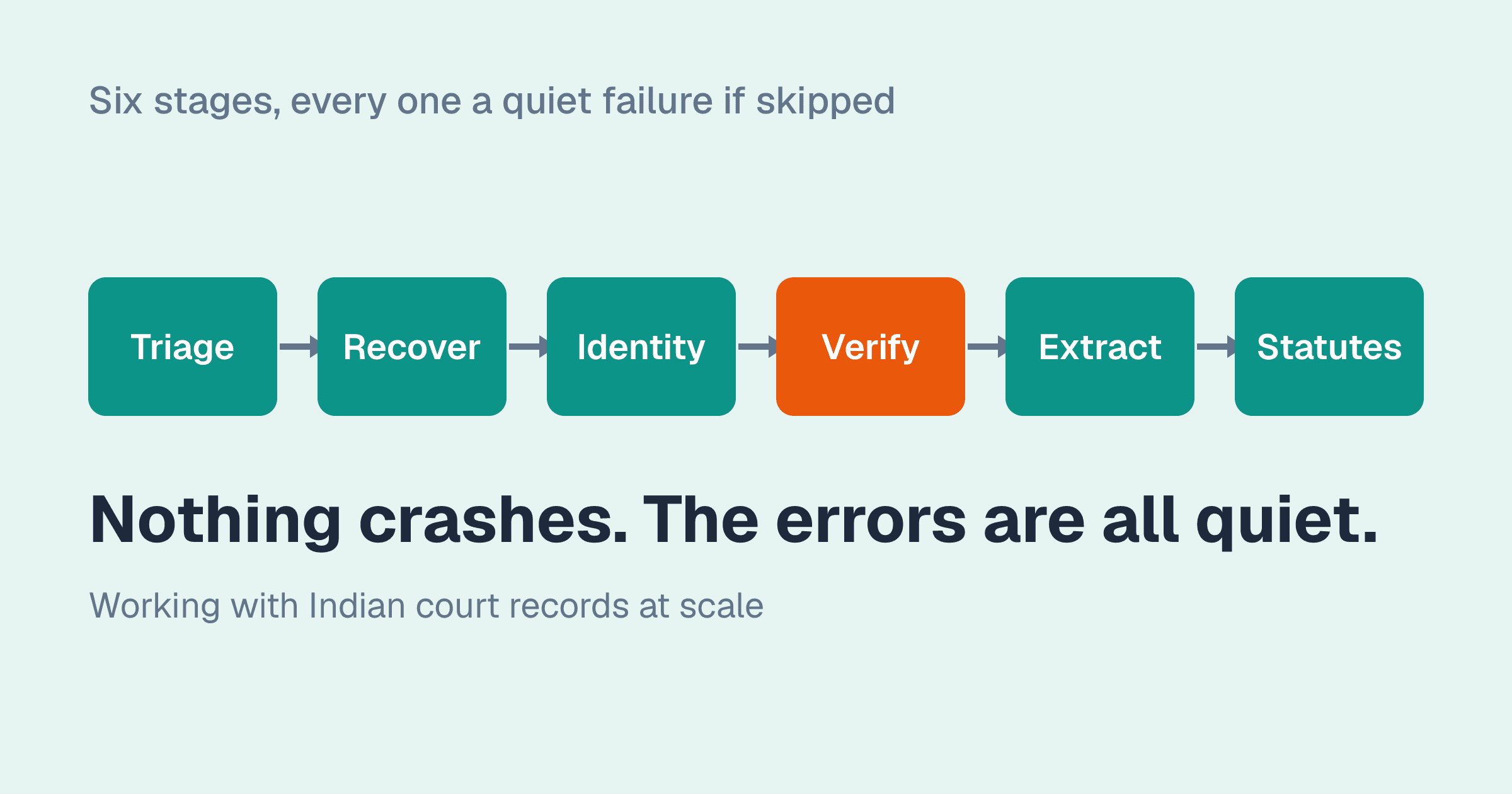
At a high level, every document passes through a sequence of stages:
- Understand what the document actually contains. Before anything else, each document is triaged: is its text layer genuine readable text, text in a legacy font, a scanned image, or damaged? A pipeline that assumes "has text" means "has readable text" fails silently on a large share of Indian court documents.
- Recover the text. Legacy-font text is decoded into proper Unicode, including fixing the order of characters. OCR handles only what can't be decoded, and is also used to check the decoding.
- Establish identity. Documents are tied to the right matter using identifiers that stay stable over a case's life, not the printed case number.
- Verify links between documents and cases. Where a document's content and its filing information disagree, the disagreement is measured, reviewed, and resolved deliberately rather than guessed.
- Extract structure. Party names, and for judgments with a real holding, headnotes made entirely of the court's own words.
- Maintain the law itself. A statute library that displays an act only when its text is verified against the official source.
Every stage records where its output came from, and nothing that fails a check proceeds quietly to the next one.
One document, end to end
Take a single order from a lower court, filed as a PDF. It looks ordinary. Here is what each stage finds:
- Triage reads the PDF's font names and character statistics and classifies it: the header is in a Unicode font, the body is in a legacy font. Treated as ordinary text, the body would have been indexed as Latin gibberish.
- Recovery decodes the body using the map for that font family, reorders the characters into Unicode logical order, and flags a run of text in an unknown font for OCR. The word for "court" now matches a search for "court."
- Identity attaches the document to its matter using the registry number from the case record, not the case number printed on the page, which in this document is a range covering several matters.
- Verification notices that the decoded text names a different case number than the filing. It records the disagreement, scores the evidence, and leaves the link in place: the document is an order in one matter that refers to a related one, the most common reason for such disagreements.
- Extraction reads the parties from the caption, handling a party who is deceased and represented by legal heirs. The order is procedural, so no headnote is generated.
- The statute library is what the order's citations resolve against: the sections it cites display only if their text has been verified against the official source.
Skip stage 1 and the document is silently unsearchable. Skip stage 3 and it is attached to the wrong case. Skip stage 4's judgement and it is detached from the right one. Nothing crashes at any point; the errors are all quiet.
Triage: knowing what you are looking at
The single most important step is the least glamorous: classifying each document before touching it. A document can be:
- Readable Unicode text: the text layer is what it appears to be.
- Legacy-font text: a text layer exists, but stores Indic characters as Latin letters.
- A scanned image: no text layer at all.
- A junk text layer: text that exists but is unrelated to the page, from a broken conversion.
- Damaged: a file that cannot be opened or rendered.
No single signal separates these reliably, so triage combines several: the ratio of letters to other characters, the share of characters in each script, how many words hit a dictionary, whether two independent text extractors agree, and, for a sample, whether the text agrees with OCR of the same page. Each signal is a gate; a document that fails one is routed for closer inspection rather than assumed clean.
The sampling that shaped this produced one finding worth stating on its own: legacy encoding was not an old-documents problem. Documents filed in recent years were legacy-encoded about as often as documents decades old. A pipeline that assumed modern filings were clean would have been wrong about nearly half of them.
The principles behind every stage
Six principles recur throughout the series. They matter more than any particular technique, because they're what made the techniques trustworthy.
1. Verifiable over plausible
Modern tools, language models especially, produce output that sounds right. In legal work, that's the danger. So we prefer output that can be checked: a headnote made only of verbatim passages from the judgment, a statute section matched byte for byte against the official text, a decoded document compared against an independent reading. If a result can't be verified, it isn't shown.
2. Measure before you scale
Nearly every major decision started with a measurement rather than an assumption: sampling which fonts actually appear before choosing between decoding and OCR, auditing whether the printed case number is unique before using it as a key, and measuring how well OCR performs on text known to be correct before using OCR as a judge. Several of our favourite theories didn't survive the measurement.
3. Fail closed, and fail visibly
When something can't be verified, the safe default is to show nothing: no headnote, no statute, no link. That default can also hide problems, so we distinguish carefully between "checked and rejected" and "couldn't be checked," and we look for silent failures on purpose.
4. Reversible by default
Changes to large amounts of data are applied with a snapshot taken first and a tested way back. That discipline paid off: one relinking change that looked correct by every count was reverted within the hour after a human audit found it was wrong.
5. People review evidence, not summaries
Automated checks narrow the problem; people make the calls that matter. Reviewers see side-by-side evidence, such as the source page, the extracted text, and the competing readings. Their verdicts are tied to the exact content they reviewed, so if the content changes, the verdict no longer applies.
6. Provenance on everything
Every piece of text, and every generated summary, carries a record of where it came from and how it was produced. When something turns out to be wrong, we can find everything else that was produced the same way.
What's in the series
- Pre-Unicode legacy fonts: recovering Indic text stored as Latin letters, and why character order matters as much as the characters themselves.
- OCR as verification, not default: what happened when the judge couldn't pass its own test, and failures that arrive with high confidence.
- Headnotes that cannot invent content: judgment summaries made entirely of the court's own words, measured honestly.
- Party extraction across inconsistent formats: why coverage is not accuracy.
- A verified statute library: the day our checks said "all clean," and what we rebuilt afterwards.
- Case identity: why a printed case number is not an identifier.
- Imperfect source data: misfiled documents, missing metadata, and a relinking attempt reverted within the hour.
- Operating AI coding agents on a large document pipeline: the engineering controls that made fast progress safe.
Each article is written to stand on its own, with the specific mistakes and measurements included. The mistakes are where most of the lessons came from.
What this transfers to
Nothing in this list is specific to law. Any organization working with a large archive of documents produced by many hands over many years faces the same variety: mixed encodings, inconsistent formats, identifiers that were never designed as keys, metadata that drifted from content. Insurance claims, medical records, land records, and regulatory filings all show these patterns. The stages and the principles carry over directly; only the specific checks change.
Next in the series: pre-Unicode legacy fonts, and recovering Indic text encoded as ASCII.